Git: Project Setup
You can setup git project using CLI commands, either manually or using an automated script.
Note
veritaspress is our project name that will be set up locally
Git Setup Script
For quick and automated Git repository setup, use the git_setup bash script with interactive prompts.
See also
For detailed installation instructions and the complete script, see Script 5: Git Repository Setup
The automated script provides:
Interactive prompts with input validation
Color-coded output for better readability
Automatic repository initialization
Remote origin configuration
Branch checkout with fallback handling
Git user configuration (name and email)
Complete setup summary
Quick Example
After installing the script from the bash service scripts guide:
# Navigate to project directory
cd /var/www/html
mkdir veritaspress
cd veritaspress

# Run the interactive setup script
git_setup
The script will prompt you for:
Git Repository URL
Branch Name (e.g.,
master,main,develop)Git User Name
Git User Email
Then automatically configure your repository with all the necessary settings.
Manual Setup Using GIT Commands
If you prefer manual setup instead of using the automated script:
Go to
/var/www/htmlCreate directory:
mkdir veritaspressExecute following commands:
cd veritaspress
git init
git remote add origin <git_url>
git fetch
git checkout master
git config user.name "Your Name"
git config user.email "your.email@example.com"
Go to github, select the project and copy the github repository url:
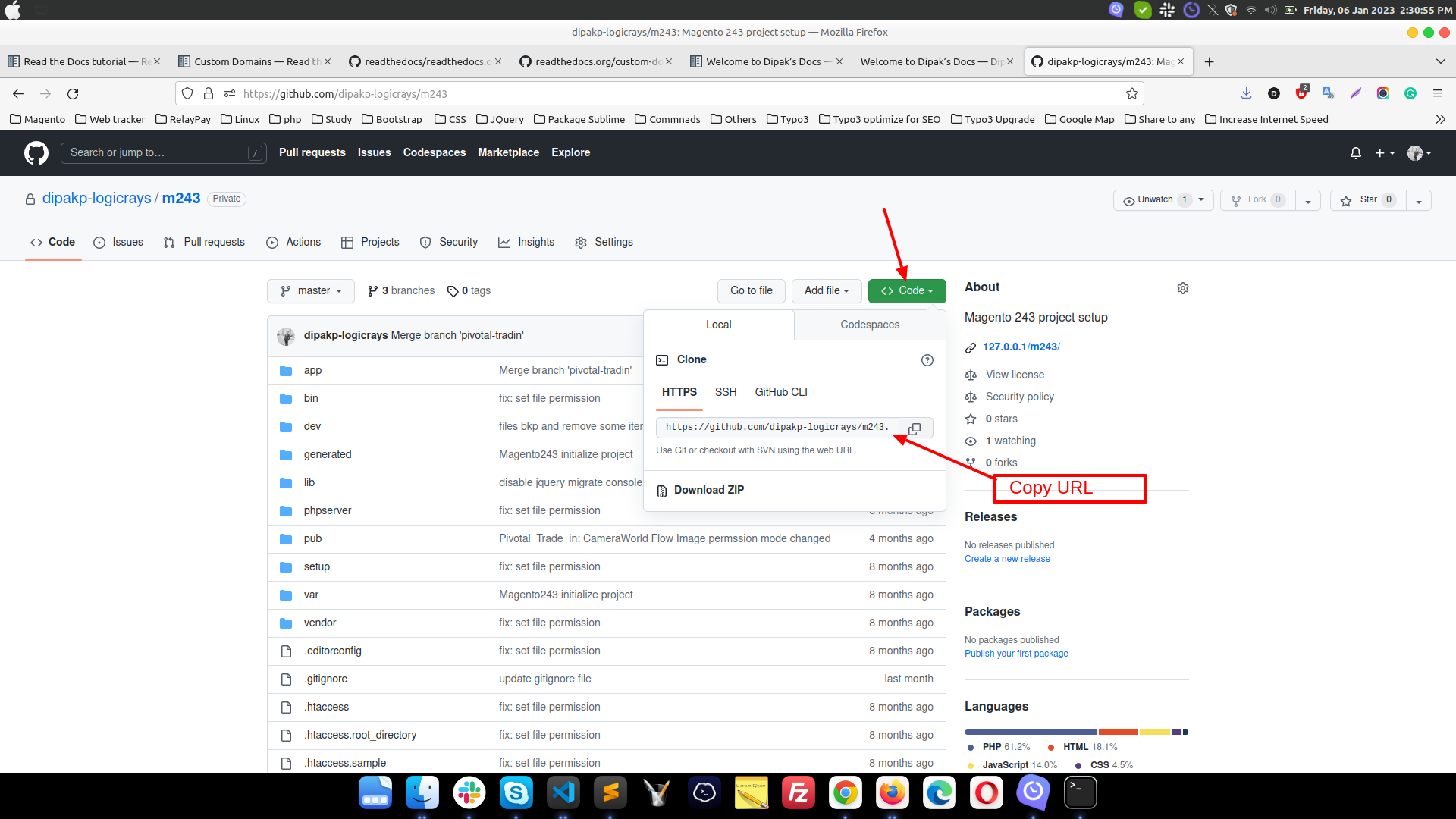
Fig. 1 git project url
Important
Please change your url.
Change composer version 2 to 1 : if require:
sudo composer self-update --1
Run command:
composer install
Add
env.phpfile toapp/etc/env.phpDB import
Remove definer:
grep "DEFINER" your_database_file.sql -rsn
find your_database_file.sql -type f -exec sed -i 's/DEFINER=`root`@`localhost`/ /g' {} +
Create DB :
veritaspressLogin mysql using cli. Here,
rootis username andsecretis password:mysql -uroot -p ## mysql username is root Enter password : secret ## Here my password is secret
Import db using SOURCE command:
SET FOREIGN_KEY_CHECKS=0;
use veritaspress;
SOURCE cw_m2_LIVE_2022-06-09_09-27-25.sql;
SET FOREIGN_KEY_CHECKS=1;
Update base_url in
core_config_datatableRun all magento commands and check functionality
Add pub/media directories